

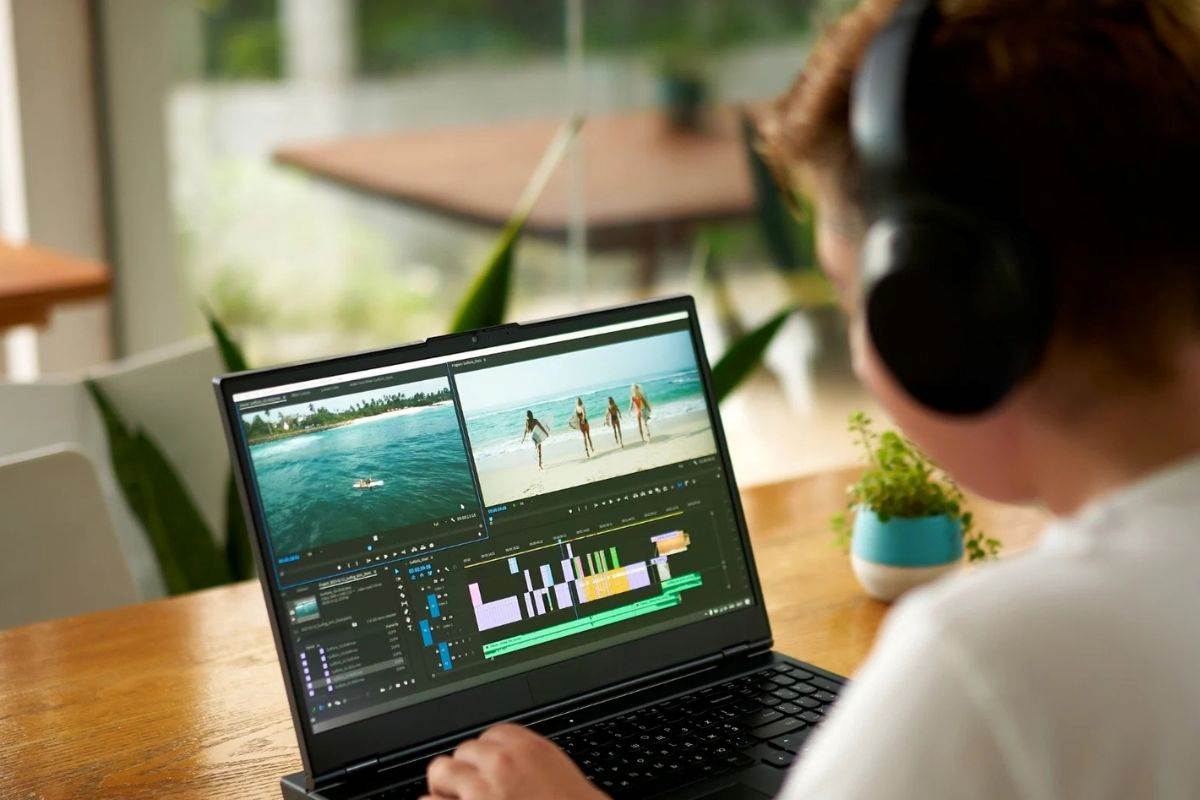
CapCut has long been a popular video editing app. Capcut is renowned for making short videos for Instagram Reels, YouTube short videos, and TikTok videos. You are one of the active CapCut users, right? You must be thinking what happened to CapCut?
Or, is CapCut getting banned again in 2025?
In 2025, CapCut expanded its Pro subscription model, so many features of the app have been locked. If you are looking for the best CapCut alternatives, then you are not alone on the way. Indeed, it is the right time to look for an effective CapCut alternative that you can rely on.
In this blog, we will reveal the 7 best user-friendly CapCut alternatives for beginners. We will also discuss the best features of the apps that make them stand out.
So, just continue reading this article and find the perfect CapCut alternative.
What Is CapCut?
CapCut is an all-in-one video editing app that is developed for content creators. ByteDance, the creators of TikTok, have developed CapCut. The content creators who want to edit their video content very easily, CapCut is the perfect solution for them. CapCut offers tools for trimming, transitions, effects, and adding captions.
CapCut is more user-friendly, so it is more accessible to everyone. However, the content creators who are looking for some advanced editing capabilities should focus on another CapCut alternative.
Why You Should Look for CapCut Alternatives?
The sudden disappearance of the app creates major issues for the content creators. Looking for a CapCut alternative can be a great solution for content creators to solve some limitations. These include:
- Watermark Issues: Unless you extend your plan to a paid version, CapCut adds a watermark to exported videos.
- Limitations to Advanced Features: CapCut has locked its advanced features such as premium effects, 4K export, AI editing tools, and advanced transitions. So, CapCut fails to meet the needs of professional content creators.
- Platform Dependency: CapCut is primarily designed for mobile. So, it has limitations for desktop-focused content creators.
7 Best User-Friendly CapCut Alternatives For Beginners
1. Nero Video – Beginner Friendly

Nero Video is a cost-effective alternative to CapCut. It offers an alpha channel, professional effects, and multi-track editing at a one-time price. Its built-in disc-burning features make this app stand out from the competition. Content creators can create DVDs, Blu-rays, and AVCHD discs.
Top features:
- High-quality video editing
- Photo editing, music editing
- Online media sharing
- Media Conversion
Price: Free trial, Paid lifetime version at $39.16
Best For: Content creators looking for a powerful yet affordable video editing app
2. SendShort

SendShort is another CapCut alternative that specializes in transforming lengthy content into shorter videos. This video editing tool is designed for social media creators who want to streamline their video editing process.
CapCut is a powerful video editing tool, but it is designed to build everything. So, more buttons and more complexity. However, SendShort is focused on one thing – turning longer videos into short clips.
Top features:
- Auto conversion of lengthy videos into shorter ones
- Can export subtitles
- Can generate videos from text
- Smart auto-captioning
- Content scheduling
Price: Plans start at $20/month
Best for: Content creators who want to convert long videos into shorter ones without wasting too much time
3. DaVinci Resolve – Professional Video Editing

DaVinci Resolve is a professional video editing app that rivals software like Adobe Premiere Pro.
This top-tier professional video editing app offers industry-leading color grading, multi-user collaboration, professional visual effects, and more. These advancements make Davinci Resolve a great alternative for professional content creators.
CapCut works on Android and iOS; it is preferred for mobile editing, while DaVinci Resolve offers support for Linux.
Top features:
- Advanced color correction and grading tools
- Support complex VFX and motion graphics
- Supports multi-user collaboration
Price: A flat fee of $295
Best for: Content creators who need Hollywood-level editing
4. VivaCut – Advanced Editing

If you are looking for a more advanced video editing tool, then you can consider VivaCut. Although CapCut is limiting its free advanced features, VivaCut offers a range of free editing features.
VivaCut offers keyframe animation, multi-layer editing, and chroma key effect. These advanced features make this editor a good choice for complex projects.
Top features:
- Intuitive drag-and-drop video editing
- Advanced options such as Chroma key
- Keyframe animation
- unlimited audio and video tracks
Price: Plans start at $39.99/year
Best for: The content creators want a professional-level video editing tool on mobile
5. InShot – Social Media Editing

If you want to edit your videos in a simple and effective way, InShot can be a great alternative for you. InShot offers transitions, speed controls, basic cutting, and music control, making it a perfect editing tool for social media content.
This app allows you to import photos to add to your video content. InShot supports trendy effects and filters. However, if you are a beginner in this field, InShort can be a perfect solution for you.
Top features:
- Easy to use
- User-friendly interface
- easier resizing for different social media platforms
- Easy to remove the watermark from the video
Price: Comes free with in-app purchase, $19.99 per year
Best for: The content creators want to create videos for TikTok, Instagram, and YouTube
6. Veed: Built-in Transcription Option
Veed is one of the best CapCut alternatives comes with a set of comprehensive tools. Veed is a perfect video editing solution for both beginner and experienced content creators.
It is renowned for its intuitive UI and built-in transcription tool. The transcription tool allows users to add captions, subtitles, and transcriptions for the video content.
Because of the cloud-based platform, you can access and edit your video from anywhere.
Top features:
- Subtitles and transcriptions
- Templates for quick editing
- Easy user interface
Price: Free plan, for a Pro plan $24/month
Best for: Professional content creators who want to create videos on the education niche
7. Filmora: User-Friendly Editor

Filmora is a beginner-friendly video editor with a range of effects and templates. Filmora is a great CapCut alternative for every level of content creators. If you are a beginner in this content field and want to avoid any learning curve of video editing, Filmora can be your one-stop solution.
Filmora is an app for creating videos, reels, and short videos for social media platforms. It enables you to generate video text, remove unwanted elements, and add dynamic captions. You can create high-quality content with minimal effort.
Top features:
- Drag-and-drop interface
- Audio editing tool
- Clone voices
- Add dynamic captions
- Text-to-speech
Price: No free plan available, plans start at $49.99/year
Best for: The content creators who want to start editing without a steep learning curve
FAQ
Is there a good alternative to CapCut?
Ans: If you are looking for professional-level CapCut alternatives, there is no shortage of them. Some effective alternatives to CapCut include Nero Video, Movavi Video Editor, DaVinci Resolve, and more.
What is the easiest free video editor for beginners?
Ans: The easiest free video editors for beginner content creators is OpenShot. It is an open-source video editor that works with macOS, Linux, and Windows. Like CapCut, it includes some basic editing features such as adding transitions, video effects, and image editing.
Wrapping it Up
Looking for CapCut alternatives is an opportunity to upgrade to something better. You can consider beginner-friendly CapCut alternatives that can take your video editing skills to the next level. Here, in this blog, we have listed 7 best user-friendly CapCut alternatives for beginners.
You can choose one tool from the list that seems to be the most secure, reliable, and user-friendly solution. Also, while choosing, you must check the compatibility of the tool. If you want to perform video editing on mobile, just pick a mobile-friendly tool or similar. Elevate your video editing styles to new heights!





