
Getting a new phone is an exciting time. From the moment you remove it from its packaging, fit it with an Android phone case, and set it up, there is something special about starting fresh.
Assuming everything goes well with its setup and logging into your preferred app store, then it’s time to get down to business and make sure all your apps are organized and easy to locate.
How to Setup Your New Phone to Appear More Organized
There are millions of apps available to download. Research has found that every smartphone holds about 80 apps on average. So, what are the best ways to organize your apps?
The truth is everyone seems to have a different and unique preference. Some people like to group similar apps, some refuse to keep more than one page and some arrange their apps stylistically by color.
Whatever your preference, we’ve got you covered! Here are seven great ways to organize your apps on your new phone.
Tips to Organize Apps on Your Mobile
Tip 1. Group By Category
One great way to organize your smartphone apps is to group them by category. Put all your social media apps together, communication apps, games, banking apps, photo editing apps, etc.,
Into groups or folders. This makes it easy to quickly find the app you’re looking for without having to navigate through a ton of other unrelated applications.
The other great benefit of grouping apps is that it can force you to review all your apps and determine whether you need to keep them on your phone.

Source: BigTunaOnline/Shutterstock.com
Tip 2. Group Apps Alphabetically
Sometimes it’s easier to find something when you know exactly where it would be organized alphabetically.
Consider organizing your apps alphabetically for a streamlined way of finding the app you’re looking for.
This works great if you have a lot of apps on your phone because all of them can quickly be sorted into groups.
You can even group them into letter folders by letter, so you don’t have endless pages of apps on your phone.
Tip 3. Use Folders
For a more organized flow, you should consider grouping your apps into folders.
Phone screens allow for 20 to 30 apps per screen, so if you have more than a few dozen apps on your phone, you may be swiping for a while to find the app that you need.
Employ folders to group similar apps together. That way, if you are searching for a music app, then you can easily locate it in your music app folder.
Tip 4. Utilize Widgets
Widgets are newer productivity features added to phone operating systems, and they are a great way to keep your apps organized.
If you have a new iPhone, simply open the Edit Home Screen function, and tap the plus sign in the top left corner.
You will have the option to choose from a variety of widgets, ranging in size from small squares to full-width rectangles.
On Samsung devices, tap and hold an empty spot on the screen and select Widgets.
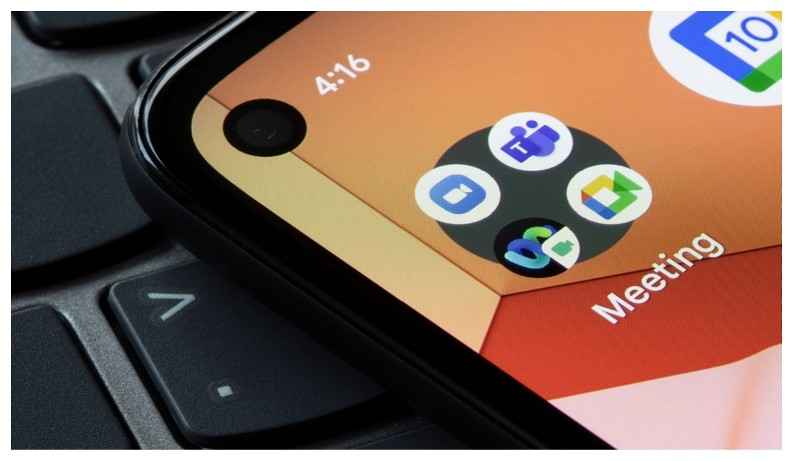
Source: Tada Images/Shutterstock.com
Widgets can be an excellent way to access information quickly, like the current weather and upcoming appointments on your calendar app, without having to open the app each time.
Widgets can also make organizing your apps much easier by allowing you to have folders inside of them.
Tip 5. Create Themes
If you are like the average smartphone user, then you likely have more than one home screen filled with apps. A practical solution to organizing your apps is to categorize your home screens by theme.
Home screen themes can be separated by work apps, entertainment apps, productivity apps, financial apps, or any number of different ways.
Building themes can make organizing your apps much easier and can help to ensure that you don’t get lost in an endless sea of apps.
Your chosen theme can also be color-coordinated to your iPhone case.
Tip 6. Use the App Drawer
For Android devices, you have access to an app drawer that stores all your applications in one easy-to-find location.
This is great for people who don’t want to mess around with organizing apps into folders or creating multiple home screens.
The app drawer is accessed by swiping up from the main screen and provides a full list of all your applications alphabetically.
It also provides shortcuts for quickly deleting, sharing, or uninstalling an app.
Tip 7. Color Coding Your Apps
Some smartphone users just want their home screens to look pretty, and there is nothing wrong with that! One fun way to keep your apps organized is to group them by color.
This can be in any order that pleases your eye, or you can take the rainbow—ROYGBIV — approach.
You can organize your apps from the darkest color to the brightest color or the other way around.
The options are endless, and you’ll find that you might even enjoy this app organization technique the most, especially if you want to color-coordinate your new iPhone 14 case with your apps.
After all, when it comes to organizing apps on your new phone, it’s up to what suits you best.
Get Organized Today
After the first smartphone hit the market, apps became a game changer. They have kept us entertained, focused, and productive. They can improve communication and keep us productive every day. They are more than necessary, and there are millions available at our disposal.
That’s why you must keep apps organized in the best and most efficient way possible. By employing the methods outlined in this article, you can easily keep your phone organized and be ready to make the most of your phone.
Don’t forget to explore all the options available for organizing apps on your device and keep track of what works best for you!