

When it comes to popularity, affordability, and advancement in features, nothing can beat Vizio TV. It’s a smart innovation in this modern world that goes well with all smart home devices and automation systems.
But, Vizio TVs are also electronic devices like smartphones and home theater systems.
So, they can also face different issues related to smart apps and other software like your handy smartphone. You might be wondering, what problems it may face! Well! There are many problems that Vizio TV faces.
The most common complaint that people shout on regarding it is – Apps not working on Vizio TV.
The good news for you is that there are solutions to these problems. Come on, thank us fast because we are going to share those solutions with you. But, first, we will explain the problems that mainly the Vizio TV customers face.
So, let’s proceed with the same…
Vizio TV – A Brief Synopsis On It And Its Features
Vizio TV is one of the prominent players in the market recently gaining much fame. It’s related to the television industry and entertainment. This company is known for delivering super-quality HD displays to its customers. They never loot the money in their pockets.
This company was established in 2002 and the owner was William Wang. It promised to deliver feature-rich displays at a pocket-friendly price and is still keeping its promise.
The cutting-edge technologies this company offers to its customers are truly commendable. Its innovative features like LED backlighting, smart apps, etc have brought it to a special place in the world of TV.
Not only that, Vizio TV owner knows that all customers’ preferences are not the same. So, respecting their preferences, Vizio TV has introduced a variety of products in the market. The product comes in different-
- Display sizes.
- Resolutions.
- Technologies.
- Display types (for example, 4K Ultra HD, OLED displays), etc.
But, one that remains common in the products is the smart TV features. They all comprise-
- Built-in streaming applications.
- Congenial with nearly all streaming services.
- Voice control power, etc.
Besides, Vizio TV is Affordable and value for money which gives you a strong warranty against its products. Also, no need to mention that the customer support service this company gives is great.
The executives will instantly help you with any technical issues you face. Moreover, the environment-friendly practices that this company adopts are discussed all over the world.
So, the features that Vizio TV offers are-
- High-definition quality display.
- Smart TV options and applications.
- Facility for voice commands.
- Reasonable pricing.
- Diversity in products.
- Easy to use.
- Multiple HDMI Ports.
- Saves energy and power.
- High-quality customer support.
- Slim and trim design.
- Friendly to the environment.
- Offers warranty.
- Regular software updates.
- Regular firmware updates.
- Bug fixing technologies.
- Gives high performance.
- Durable.
Apps Not Working On Vizio TV? – The Common Issues
1. App Crashing
Apps not working on Vizio TV? App crashing might be the reason for your problem.
This type of happening might hamper the customer’s viewing experience. When this type of problem happens, the customers usually fail to detect the main cause behind it.
They remain clueless until they call any professional to solve the problem.
2. The Apps Are Slowly Loading
This type of slow performance of apps is also a common issue in Vizio TV.
The situation may arise due to several reasons including slow internet speed. Identifying the actual cause will help you to resolve the issue quickly without much frustration on the matter.
3. Issues Related To Authentication And Log In
Most of the apps of Vizio TV require authentication before you proceed with them.
So, in case your authentication is not done properly or you fail to provide the proper IDs and passwords, you will fail to open the apps. The situation may arise due to
- Providing incorrect credentials while logging in.
- Network issues.
- App-related issues, etc.
4. The App Is Outdated Or It Has Vanished From The Main Menu
Still apps not working on Vizio TV? The app’s outdated version may be the reason. Or, it may be because the apps are missing from the main menu.
Keeping your apps updated frequently will solve the problem. It will make your Vizio TV apps give optimal performance. Also, by doing it you can remain updated with the apps’ latest features.
Apps Not Working On Vizio TV – How To Fix The Issues?
1. Give A Restart To The TV
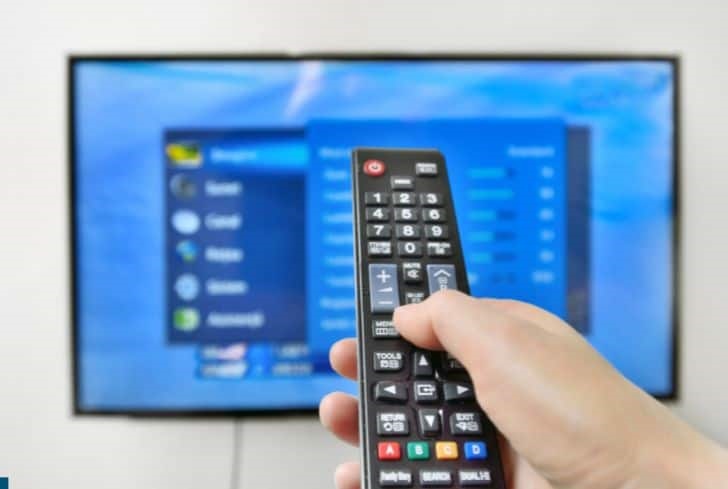
Apps not working on Vizio TV? Give it a restart. Restarting or rebooting your Vizio TV refreshes its system. As a result, the temporary glitches in your TV get settled.
Also, the app-related crises get healed with it. So, in case you want a simple yet useful antidote for your app-related problems, this one is the best.
2. Make Sure Your Internet Is Functional
Running a Vizio TV requires a strong, stable, and speedy network. A high-speed Wi-Fi connection will also do the job. If your internet connectivity is slow, the app will take a lot of time to open, download, or do their functions.
Also, it may lead to the crashing of any app. So, before opening or working with the apps of your Vizio TV, ensure that your internet connection is at good speed.
3. Do Timely Updates Of The Vizio TV Apps
Again apps not working on Vizio TV? Try updating all apps. Remember, always keep the Vizio TV apps updated without failure. Outdated apps will always keep you from opening or using them.
It’s easy to update the Vizio TV apps. Just go to your Vizio TV App Store.
Now, search for the app you want to update. Click install. The updated version of the app will get installed on your device within minutes replacing the outdated one.
4. Delete The Cache Memories Of The Apps Or Other Unwanted Data
Is your Vizio TV running on the Android operating system? Then, clearing the app cache may turn into a boon for you. By doing it, your Vizio TV apps may again restore their speed of operation Don’t worry!
Doing it is not hard at all! Just click on “Settings” and search for the app whose cache you want to delete. Now, press the button for cache or data clearance. They will get cleared automatically.
5. Install The Problematic App Again After uninstalling It
Are you facing continuous misbehavior of any app? Then consider uninstalling it first. Once you’re done with it, reinstall it again.
The process will eliminate the main problems. It will help remove all the corrupted files from the system. Also, the corrupted settings are removed with it.
6. Press The Factory Reset Button
Even after so many trials, apps not working on Vizio TV. The last resort is to press the factory reset button. Yes, this button will delete all of your manual settings and make the default setting come into play again.
But, it also manages to solve the persistent issues of your Vizio TV. Always handle this button carefully and think again before hitting it. Hitting it will vanish all of your customized Vizio TV data and settings.
Apps Not Working On Vizio TV – Some Tips
Here are some tips to keep the apps smoothly running on your Vizio TV-
- Keep your software up-to-date regularly.
- Check if your internet connection is stable or not before you start watching the TV or handling the apps.
- Always choose the internet network that gives you fast surfing of the net.
- Keep your background applications closed.
- Keep your applications organized.
- Don’t forget to clean up unwanted data or cache memories.
- Keep a check on the app updates of each app. Update the apps as soon as their new updates are available.
- Don’t compromise with the HDMI cables. Only choose the high-quality ones for your Vizio TV.
- Go for optimal display settings of your TV according to what you watch on it.
- Boot or restart the machine once in a while.
- Only install the apps on your TV that are compatible with it.
- If still your Vizio TV is giving you problems and is not getting solved by any means, consider pressing the factory reset button. It will normalize your TV at the cost of the deletion of some settings or personal information.
FAQS
1. Can I add more apps to my VIZIO Smart TV?
Yes, you can do it if your TV comprises Vizio Internet Apps / Internet Apps Plus System. However, if your Vizio TV doesn’t comprise this system or app and instead comprises SmartCast, you can’t add more apps to it. To get access to various apps seamlessly, you need to update the latest firmware.
2. Does Vizio have an app store?
Yes, the VIA and VIA+ settings of Vizio TV, give us enjoyment through different core apps like-
Netflix.
Vudu.
Pandora.
Hulu
Youtube.
iHeart Radio, etc.
However, apart from them, many apps can be selected from the app store of Vizio TV. You can also add the extra apps by downloading the Google Play app for Movies And TV.
Conclusion
Apps not working on Vizio TV? We understand that it’s so frustrating to deal with. It gives everyone a bad experience regarding the company. But, dealing with these vizio tv problems is not hard either. It’s so easy! Just follow the rules mentioned by us and your issue will be resolved within minutes.
Also, keep your eyes on the new software update versions and your internet speed. They will give you a quick remedy to your problem. So, enjoy the smooth entertainment experience with Vizio TV. Stay connected with customer support for any present or future help. They will be happy to help you.





