
The Wordle game online was developed by the New York Times and has become most popular in a very short period among millions around the globe. This game is user-friendly and easy to play because it has a simple display, this puzzle game is a treasure for testing your vocabulary and logical mind while choosing 5-letter words in 6 tries.
If you lose the game, you need to review your choices and it can be unpleasant for the gamers to learn and improve their game.
When you lose the game it leaves you thinking about how to review the choices and to analyze what was wrong. There are various ways to track and review your choices as the Wordle itself doesn’t serve the built-in solution.
This article explores the strategies to make sure that you will never lose the vision of your progress in the New York Times Wordle game. Let’s dive deep into the article.
How to see your Wordle choices after you lose the Wordle Game:
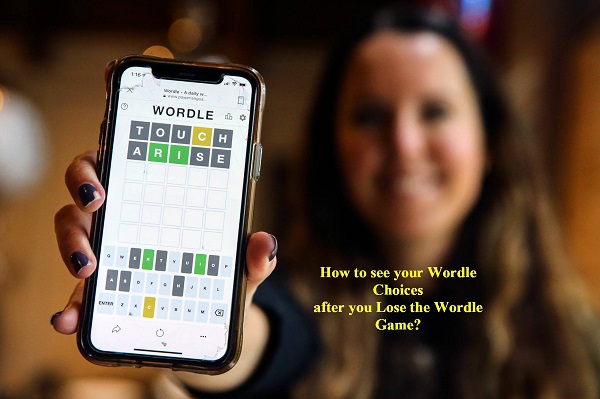
Below mention are a few ways to review your attempt after you lose the game, describe them:
Always take a screenshot before leaving the page:
The easy way to keep your guesses is to take screenshots before leaving the page. The Wordle shows your attempts along with the feedback in colors like gray, green, and yellow until you refresh the page and capture the screenshot of this grid make sure to have a permanent record.
- For Windows, you can take screenshots on the window by using Prtscn and save by using window+shift+s.
- For Mac, you can take a screenshot using the command+shift+4, and the screenshot will be saved automatically.
- You can also take screenshots on mobile by using the side button and volume up key and it will save automatically in the gallery.
Use browser navigation features:
If a player accidentally closes the Wordle game window you can still restore the game page using the browser navigation tool. Until you refresh the page you can retrieve the Wordle grid.
This method will allow you to restore your Wordle game online without losing progress.
Steps to follow:
- Open your browser and browse your history or press Ctrl+H
- Look for the Wordle game URL and click on it
- Then use the back button to return to the previous page
- On many browsers, Ctrl+Shift+T to reopen the last closed tab.
Write down your game while playing the game:
To make sure you have all the records of your attempts, then consider writing them on a note while playing a game. This is a manual method but reliable, it also helps you to analyze your strategy later on.
Tips for writing down:
- Use a notebook or sticky notes to write down your guesses, you can also write down the feedback.
- Otherwise, you can download an app like Notepad or Notes on your phone or PC.
- Players can also note your strategies by highlighting patterns or mistakes in your attempts.
Use Wordle assistant tools:
If you remember your guesses then you can use Wordle assistant tools to recreate the game and monitor your performance. These tools are available in the form of apps or websites tailored to improve your Wordle experience.
Some popular Wrodle assistance tools:
- Wordle solver websites: Tools like WordleBot or WordleFinder allow you to record your attempts and feedback. These tools analyze your guesses and offer insights.
- Game Reconstructors: Some websites and apps allow you to recreate the game grid from memory helping you to visualize progress and mistakes.
Install browser extension
The Wordle game online players can use a browser extension so that can automatically track and save their game data including their guesses and feedback. These extensions are ideal for keeping the complete history of your game.
Some popular extensions:
- Worle replay: this extension allows you to replay previous New York Times Wordle games including reviews, guesses, and losses.
- Wordle history tracker: This extension allows you to save guesses and solutions for a long time, making you personalize the history of your game.
Explore Wordle alternatives with enhanced features:
The official New York Times Wordle game has some lack in their post-game review features so many Wrodle-inspired games cater to enhanced functionality, including detailed game logs and options.
Popular Wordle alternatives:
- Word master: This is a clone of Wordle that offers unlimited games and the ability to record your games.
- Quordle: This is an advanced version where the gamers solve the four Wordle puzzles simultaneously, with detailed guesses and history options.
- Absurdle: This game is a twist on Wrodle here the game resists your guesses and offers you an advanced level of analysis and attempts.
FAQ:
Q 1. Can I restore or retrieve the Wrodle choices after closing the game?
Ans: No, as once you close the game page or refresh it, your choices can not be saved and can’t be retrieved within the game. restoring browser history can help you to restore your sessions.
Q.2 How can I improve Wordle game strategies:
Ans: To enhance the game strategies you can write them down then analyze your patterns and use tools like WordleBot to study your previous performance.
Q.3 Do the tools help to track Wrodle choices automatically?
Ans: Yeah, some browser extensions and tools can automatically track your game and your choices. like Wordle Replay and Wordle history tracker tools.
Conclusion:
In conclusion, however, the Wordle game online doesn’t still serve as a native way to review your games after losing in the game, there are many ways to see your choices after you lose the game.
By using the Wordle assistance and browser extensions you can make sure that your guesses or choices are never lost. The method mentioned above helps you to track your gameplay and also improve your strategies for new games.
As the Worlde game online is growing so fast in popularity, it is like adding enhanced features to make the game user-friendly and joyful.