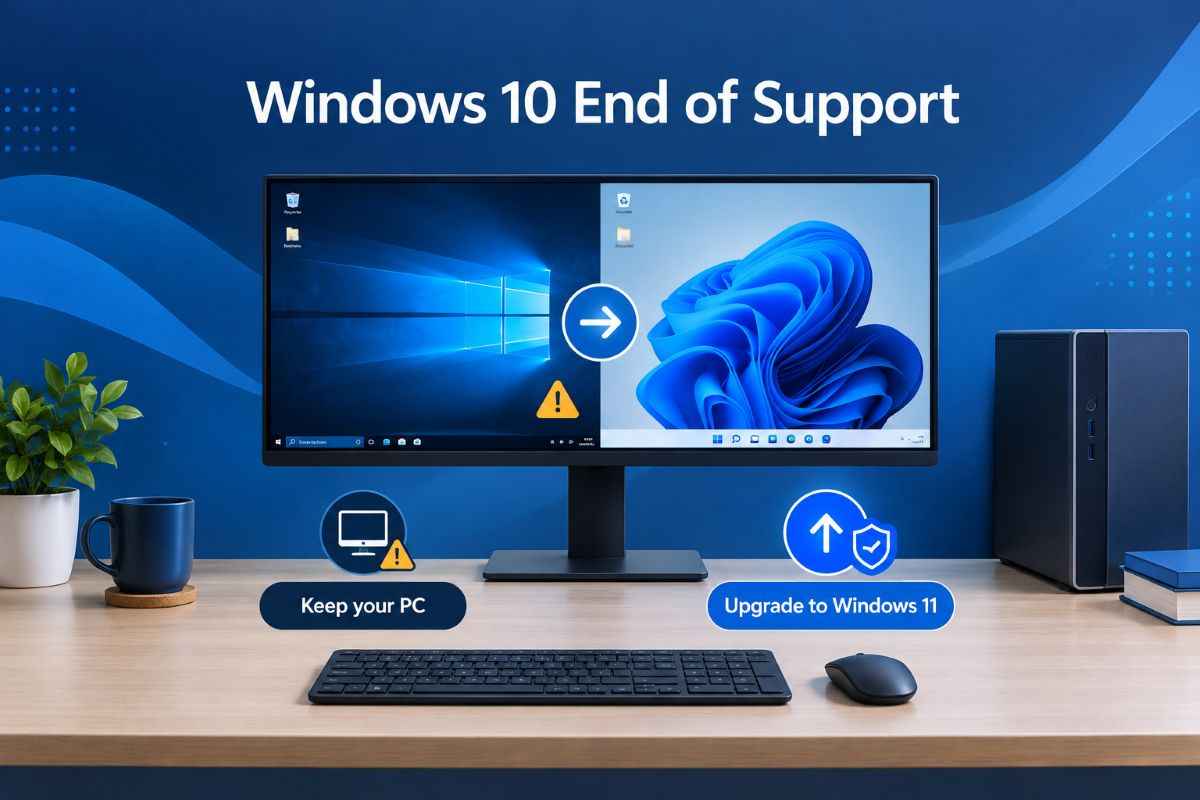
Windows 10 reaching the end of support does not mean your computer has stopped working. However, continuing to use an unsupported operating system creates growing security risks, particularly if you use your PC for online banking, shopping, work or personal files.
So, should you upgrade to Windows 11 or keep using your Windows 10 PC? For most people with compatible computers, upgrading to Windows 11 is the sensible long-term choice. If your PC does not meet the hardware requirements, you may need to consider an extended security option, a hardware upgrade or a replacement computer.
Microsoft ended standard Windows 10 support on October 14, 2025. Since then, ordinary users have had to consider their available security update options rather than assume their existing installation will continue to receive free support.
Here is what US users need to know in November 2026, including Windows 11 compatibility, Extended Security Updates, upgrade costs and when replacing an older computer makes more sense.
What happened when Windows 10 reached end of support?
Microsoft officially ended support for Windows 10 on October 14, 2025. This means standard Windows 10 installations no longer receive regular security updates, feature updates or technical support from Microsoft. Microsoft Support+1
Your computer will not suddenly stop working. You can still start Windows, open applications, browse the internet and access your files.
The problem is what happens over time.
Without regular security fixes, newly discovered weaknesses may remain unpatched. This can increase the risk of malware, ransomware, account theft and other security problems.
There are also longer-term compatibility concerns. Software developers and hardware manufacturers may gradually focus their support on newer versions of Windows.
For everyday users, this makes staying on an unsupported Windows 10 installation a less attractive choice.
Should you upgrade to Windows 11?
Recommended for compatible PCs
For most home users, upgrading to Windows 11 is the best decision if their existing computer meets Microsoft’s hardware requirements.
There are several reasons:
- Ongoing security support: You can receive security updates for a supported Windows 11 release.
- No upgrade licence cost: Eligible Windows 10 computers can upgrade to Windows 11 for free.
- Modern software compatibility: You can use a current Windows platform that software developers continue to support.
- Updated interface: Windows 11 includes a redesigned Start menu, taskbar, Settings app and improved window management.
- Longer-term usability: You avoid relying on an operating system that has already reached the end of standard support.
Microsoft confirms that Windows 10-to-Windows 11 upgrades are free for eligible devices. However, the computer must meet the minimum hardware requirements. Microsoft Support+1
That said, upgrading is not automatically the right answer for every computer. If your PC is several years old, has hardware problems or cannot run Windows 11 officially, replacing it or temporarily using Extended Security Updates may be more practical.
Windows 11 system requirements: Is your PC compatible?
One of the biggest reasons people cannot upgrade is Microsoft’s hardware requirements.
Windows 11 has stricter compatibility rules than Windows 10, particularly around processor support, Secure Boot and TPM 2.0.
Here are the main minimum requirements:
| Component | Windows 11 requirement |
|---|---|
| Processor | 1 GHz or faster, 2 or more cores, supported 64-bit CPU |
| RAM | 4 GB |
| Storage | 64 GB or larger |
| System firmware | UEFI with Secure Boot capability |
| TPM | Trusted Platform Module 2.0 |
| Graphics | DirectX 12 compatible with WDDM 2.0 driver |
| Display | 720p display, larger than 9 inches |
These are Microsoft’s published minimum specifications. Some Windows 11 features require more powerful hardware. Microsoft Support+1
How to check whether your PC supports Windows 11
You do not need to inspect every hardware component manually. Microsoft provides a free application called PC Health Check.
Follow these steps:
- Visit the official Microsoft PC Health Check download page.
- Download and install the application.
- Open PC Health Check.
- Find the Windows 11 eligibility section.
- Select Check now.
- Review the compatibility result.
The application identifies whether your computer meets the requirements and can help explain why an upgrade may not be available.
You can also check Windows Update by opening:
Start → Settings → Update & Security → Windows Update
If your computer is eligible and the upgrade is ready, Windows Update will provide the option to install Windows 11. Microsoft Support+1
Can you continue using Windows 10 in 2026?
Yes. Windows 10 continues to function, but you should distinguish between using it without protection and enrolling in Microsoft’s Extended Security Updates programme.
For home users in the United States, the Windows 10 Consumer Extended Security Updates (ESU) programme is particularly relevant.
Microsoft currently allows eligible users to receive important security updates through October 12, 2027. This provides additional time to move to a supported operating system. Microsoft Windows+1
How much does Windows 10 ESU cost?
Microsoft currently offers three consumer enrolment methods:
| Enrolment option | Cost |
|---|---|
| Sync Windows PC settings | Free |
| Redeem Microsoft Rewards points | 1,000 points |
| One-time ESU purchase | $30 plus applicable tax |
The programme covers critical security updates, not new features, general product improvements or technical support. Microsoft Windows
To enrol, your computer generally needs to run Windows 10 version 22H2 Home, Pro, Pro Education or Workstations edition, with the required updates and licensing preparation package installed.
You can find the enrolment option under Settings → Update & Security → Windows Update.
One important detail: consumer ESU is intended for personal-use devices, not commercial scenarios. Business and organisation computers have separate licensing arrangements.
ESU is a temporary security bridge, not a permanent replacement for upgrading.
Windows 10 vs Windows 11: Which is better?
The choice depends on your hardware, software needs and willingness to replace an older computer.
| Comparison | Windows 10 | Windows 11 |
|---|---|---|
| Standard support | Ended October 2025 | Supported releases available |
| Security updates | ESU required for eligible consumer PCs | Available for supported releases |
| User interface | Traditional layout | Updated interface |
| Hardware requirements | Less restrictive | More restrictive |
| Upgrade cost | Existing installation | Free from eligible Windows 10 devices |
| Long-term choice | Temporary option | Better long-term option |
Windows 10 may still feel familiar and work perfectly well for certain tasks. However, Windows 11 is the stronger choice for users who want a supported Windows environment without depending on a temporary extension programme.
What if your PC does not support Windows 11?
You have three practical choices.
1. Consider upgrading your hardware
Some compatibility problems can be resolved without purchasing a completely new computer.
For example, a compatible motherboard may support TPM 2.0 that is currently disabled in the BIOS or UEFI settings. Some computers may also benefit from additional RAM or a larger storage drive.
However, an unsupported processor cannot normally be upgraded through a simple settings change. Check your computer manufacturer’s specifications before spending money.
2. Enrol in Windows 10 ESU
If your computer is otherwise working well, ESU provides additional security coverage while you plan your next move.
This is especially useful if you cannot afford a replacement immediately or rely on older software that needs testing before moving to Windows 11.
3. Buy a new Windows 11 computer
If your current PC is old, slow or unsuitable for modern applications, a replacement may offer better value than expensive hardware upgrades.
Compare laptops and desktops based on:
- At least 16 GB RAM if your budget allows.
- SSD storage rather than a traditional mechanical hard drive.
- A supported modern processor.
- Battery life for laptops.
- Manufacturer warranty and repair support.
- Compatibility with your existing software and accessories.
These are practical buying recommendations rather than Windows 11 minimum requirements.
Should you install Windows 11 on an unsupported PC?
You may find online instructions explaining how to bypass Windows 11 hardware checks.
Although some installation methods can work, Microsoft does not recommend installing Windows 11 on computers that fail its minimum requirements.
Unsupported installations may experience compatibility problems, and Microsoft does not guarantee that they will receive security or other updates. They also do not receive normal support for the unsupported configuration. Microsoft Support
For a computer used for banking, business, personal documents or sensitive information, taking this risk is difficult to justify.
Using ESU or purchasing a compatible computer is a safer route.
How to prepare your computer before upgrading
Before installing Windows 11, take a few minutes to prepare your existing system.
- Back up important files: Save documents, photos and other essential data to an external drive or trusted cloud storage.
- Check available storage: Make sure your computer has enough free space for the installation.
- Install pending Windows 10 updates: Bring your existing installation up to date.
- Check software compatibility: Confirm that important applications, printers and other devices work with Windows 11.
- Connect to reliable power: Keep a laptop plugged in throughout the installation.
- Use official Microsoft installation tools: Avoid unofficial downloads and modified installation files.
Microsoft recommends checking compatibility and using Windows Update when the upgrade is ready for your device. Microsoft Support+1
Frequently asked questions
Is Windows 10 still safe to use in November 2026?
Windows 10 still works, but an installation without Extended Security Updates is more exposed to security threats because it no longer receives regular security fixes. Eligible consumer PCs can enrol in ESU for protection through October 12, 2027.
Is upgrading from Windows 10 to Windows 11 free?
Yes. Microsoft offers free upgrades for eligible Windows 10 devices that meet Windows 11’s minimum hardware requirements. You can check eligibility through Windows Update or the PC Health Check application. Microsoft Support
Will I lose my files when upgrading to Windows 11?
A standard in-place upgrade is designed to retain personal files and applications. However, problems can occur during installation, so always create a backup before upgrading.
Can I use Windows 10 after October 2027?
Yes, the operating system will not automatically stop working. However, the consumer ESU programme is scheduled to end on October 12, 2027. After that, eligible consumer PCs will no longer receive updates through this programme. Microsoft Windows
Should I buy a new computer or upgrade my existing PC?
If your existing computer meets Windows 11 requirements and performs well, upgrading is usually the more economical choice. If it is slow, unreliable or incompatible, buying a new Windows 11 computer may be a better long-term investment.
Final thoughts
So, should you upgrade to Windows 11 or keep using Windows 10? For most people, upgrading is the better decision, provided their computer is compatible.
If your PC cannot run Windows 11, Microsoft’s Extended Security Updates programme offers eligible US consumers additional time until October 2027. Use that period to plan a suitable upgrade or replacement rather than relying on an unsupported operating system indefinitely.
The priority should be keeping your computer secure, protecting your personal information and choosing hardware that will remain useful for years to come.