

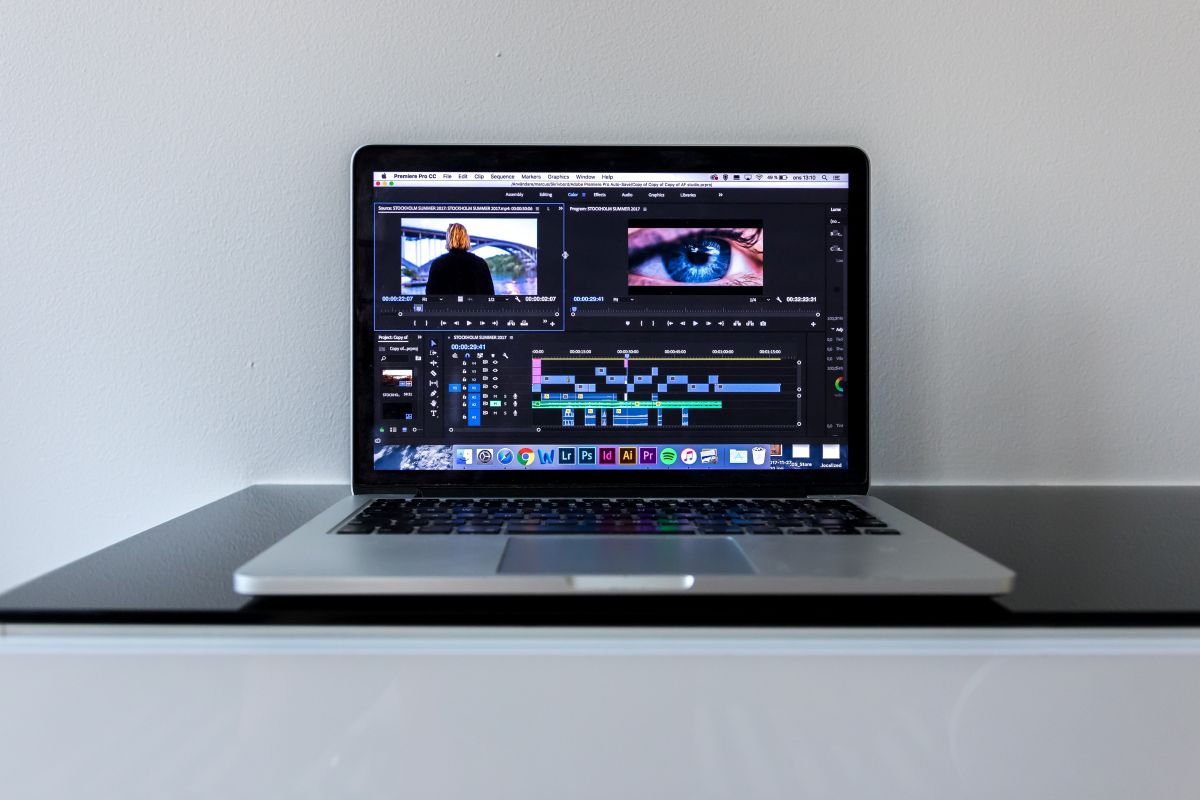
Are you looking for the best Adobe Premiere Pro Alternatives that are super affordable, more user-friendly, and well-suited to meet your video editing requirements? Then you are definitely at the right place.
This guide will help you explore 6 top Adobe Premiere Pro Alternatives that come with powerful features and are designed to suit creators of all levels.
In today’s fast-paced digital world, video editing software such as Premiere Pro has become popular among hobbyists and professionals alike. But it may not be the right fit for all users due to its system demands, subscription pricing, and steep learning curve.
Fortunately, there are a plethora of Premiere Pro Alternatives available in the market today, a lot of which are budget-friendly, user-friendly, and some of them even come free of cost.
This guide will help you walk through 6 of the best Adobe Premiere Pro alternatives, including their key features, pricing, and who they are best suited for.
6 Abode Premiere Pro Alternatives
1. Final Cut Pro
Overview: Apple’s high-professional video editing tool, named Final Cut Pro, provides powerful editing tools and a sleek interface to users. This tool supports HDR content, 360-degree, and is popular for its optimized performance on Mac.
Key Features
- Advanced multicam editing, motion graphics
- 360-degree VR editing support
- Background rendering and real-time previews
- Seamless integration with the Mac ecosystem
- Magnetic timeline for intuitive editing.
Pricing: $299.99 (one-time payment for Mac only)
Best Suited For: YouTubers, Mac users, and video professionals who need powerful features with a fast and clean interface.
2. DaVinci Resolve
Overview: Blackmagic Design’s DaVinci Resolve is a high-professional grade video editing tool that combines color correction, audio post-production, visual effects, and editing- everything in a single platform.
Key Features
- Fusion for motion graphics and VFX
- Support 8K editing and advanced trimming
- High-end color grading tools that are used in Hollywood
- Multi-user collaboration tools
- Fairlight audio editing panel
Pricing: Robust features are available for the free version, and the studio version costs $295 (one-time payment).
Best Suited For: Colorists, filmmakers, and professional editors who are looking for advanced tools without paying subscription fees.
3. HotFilm Express (Now Known as FXhome)
Overview: HitFilm Express is another good alternative to Adobe Premiere Pro that provides professional-grade features that are free of cost. This tool is ideal for people who are interested in combining video editing with composting and VFX.
Key Features
- Over 400 effects and presets
- Customizable interface and timeline
- Non-linear editing with unlimited tracks
- Advanced VFX tools such as 3D video, green screen, and particle simulation
- Built-in YouTube upload feature
Pricing: A basic free version is available. Upgrade or add-ons to HitFilm Pro cost $12.99 per month.
Best Suited For: YouTubers, hobbyists, and aspiring filmmakers who need powerful effects at a low cost.
4. Filmora
Overview: Wondershare’s Filmora is a user-friendly video editing option available in the market today. This tool provides a drag-and-drop interface that is the perfect option for both intermediate and beginner users looking for polished videos without much complexity.
Key Features
- Built-in effects, transitions, filters, and music
- Export to 4K and direct upload to YouTube
- AI tools for scene detection and audio denoise
- Easy drag-and-drop editing option
- Split screen and motion tracking.
Pricing: Free trial with watermark and premium version starts for $49.99 per year or $79.99 for lifetime access.
Best Suited For: Content Creators, casual editors, and beginner YouTubers who need easy and quick video creation.
5. Shotcut
Overview: A free, open-source video editor called Shotcut comes with a wide range of features and is an excellent Premiere Pro alternative. Users who need better control than Filmora but without much complexity of Premiere Pro can go for this tool.
Key Features
- Wide format support like ProRes and 4K
- Regular updates and an active developer community
- Cross-platform like Mac, Windows, and Linux
- Native timeline edit without import, audio filters, and video effects
Pricing: Open source and 200% free of cost
Best Suited For: Hobbyists, intermediate users, and those looking for a powerful video editor on a budget.
6. iMovie
Overview: Apple’s free video editor iMovie is well-suited for iOS and Mac users as it provides s streamlined way to design high-quality videos without putting much effort.
Key Features
- Seamless editing between iOS and Mac devices
- 4K video support
- Split screen and green screen effects
- Built-in theme, soundtracks, and transitions
- Drag-and-drop editing with intuitive UI.
Pricing: 100% free on Apple devices.
Best Suited For: Students, casual users, and beginner editors who are using the Apple ecosystem.
Frequently asked questions
Which alternative is best designed for beginners?
iMovie and Filmora are perfect for beginners because of their intuitive design. Shotcut is another incredible option for those who need more advanced editing options without spending much money.
Are there free alternatives to Adobe Premiere Pro?
Yes, there are many alternatives to Adobe Premiere Pro, like iMovie, Shotcut, HitFilm Express, and Davinci Resolve (free version). These tools are powerful for making editing tasks like short films or YouTube videos.
Conclusion
Adobe Premiere Pro is a popular video editing tool today; however, it is not the only option available for users. No matter whether you are looking for ease of use, something that is more budget-friendly, or compatible with your system, there are many Adobe Premiere Pro alternatives out there for you.
Go for Filmora or iMovie if you need something fun and easy. Want Hollywood-style effects and color grading? Go with Davinci Resolve. Similarly, if you’re looking to mix VFX with editing, then HitFilm Express is your friend.
Final Cut Pro is a good alternative for Mac users who need more quality and speed. Users who want better control without paying much cost can go for Shotcut. Each of these tools is affordable and provides essential editing features. Try them out and check which one fits your creative style and workflow.





